Gladeboard vs Miro
A canvas that opens instantly, keeps working with no connection, finds references by colour, and exports your whole workspace as a file you own.
Gladeboard vs Miro is thinking alone versus workshopping together. Choose Gladeboard for moodboards and reference: it opens instantly, works offline, finds any image by its colour, and is three boards free. Choose Miro for live sessions with a team: cursors, voting and templates, in the cloud.
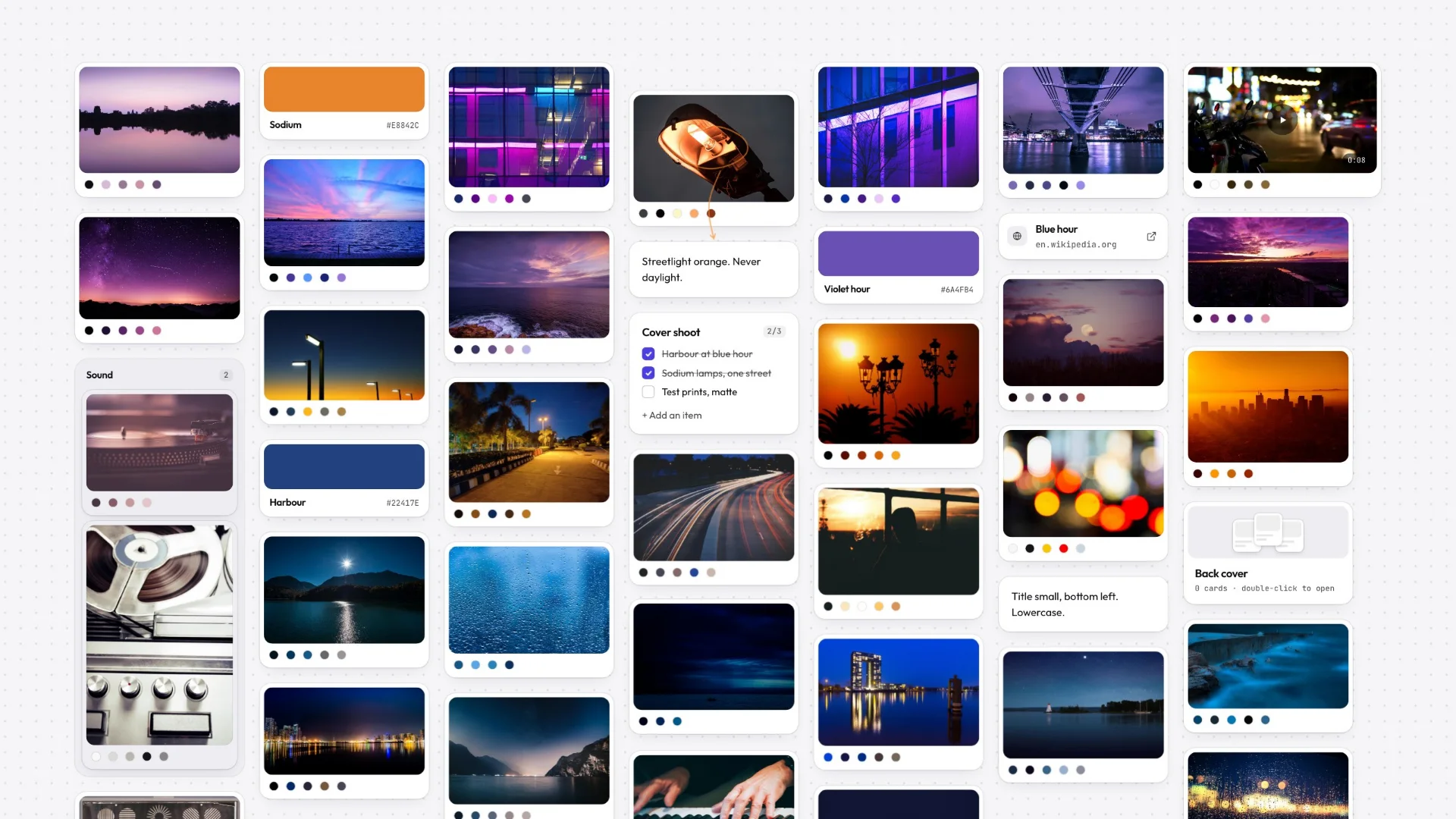
Miro is a powerful cloud whiteboard for big, real-time team collaboration. Gladeboard is a local-first canvas for creative thinking: the moodboards, reference libraries, and design systems that don’t need a room full of cursors, just a fast surface that’s truly yours.
If you want infinite sticky-note workshops for a large org, Miro fits. If you want a canvas that opens instantly, keeps working when the connection dies, and exports your whole workspace as a file you own, Gladeboard is built for you.
- 3
- $8
- 1
These tools are for different rooms
Miro is a workshop. It is built for a dozen people in a video call moving sticky notes at the same time, with voting, timers, facilitation tools, and an enormous template gallery for running a retro or a sprint planning session. At that job it is genuinely excellent and nothing here is an argument that it isn’t.
Gladeboard is the surface you use alone, before the workshop or long after it: the moodboard, the reference library, the loose pile of screenshots that turns into a direction. It has no cursors, no timers and no facilitation mode, because the work it is for does not have a meeting attached. If your canvas problem is thirty people at once, use Miro. If it is one person and four hundred references, this is built for that.
Opening a board, and what that costs
A cloud whiteboard fetches your board over the network, and it keeps doing that as you move around it. Most of the time that is invisible. On a slow connection, on hotel wifi, or on a board heavy with imagery, it is the difference between thinking and waiting — and it is why people describe big collaborative boards as something they brace for rather than open.
Gladeboard renders from a copy your device already has. Panning and zooming do not consult a server, because there is nothing to consult: the board is local, and the network’s only job is carrying changes to your other devices afterwards. That is an architectural difference rather than a benchmark, which is the honest way to put it — we are not going to publish a card-count figure nobody measured.
Finding a reference you can picture but can’t name
Every whiteboard can search text. None of them help with the thing that actually happens when you are looking for a reference: you remember it was warm and rust-coloured, and you remember nothing you could type.
Gladeboard reads the palette of every image the moment you add it, so “everything teal” is a query the canvas can answer. It runs entirely on your device — no upload, no model, nothing sent anywhere. Colour is the search that works with nothing leaving your device.
Where Miro is still the better tool
Real-time multiplayer with presence and cursors. Facilitation features built for running a session. Integrations with Jira, Slack and the rest of a company’s stack. Mobile and tablet apps. Enterprise administration, SSO, and the compliance paperwork a procurement team asks for. Gladeboard has none of that, and for a large organisation that list is the decision.
What Gladeboard offers instead is a canvas that belongs to you: it opens instantly, keeps working with no connection, finds images by colour, and exports your whole workspace as a file you keep. Those are the priorities of a tool for personal creative work, and they are the ones we chose.
Trying it against a real board
The demo opens the real canvas with no account and nothing to install, so the comparison that matters — how it feels to drag forty images around — takes about a minute rather than a signup and a trial clock.
There is no Miro importer. What works today is that the canvas takes what you give it: drag a folder of exports onto it and every image arrives as a card with its palette already read, paste a URL and it becomes a link with a preview.
Great tools. Different priorities.
Milanote and Miro are mature cloud products. Gladeboard starts somewhere else: your work belongs on your machine.
Described either of them unfairly? Tell us and we will fix it.
- Keeps working offline, boards held on your device
- Find a reference by its color
- Your whole workspace as one file you keep
- Try the real canvas without an account
- Free plan
Frequently asked
Is Gladeboard a good Miro alternative for solo and small teams?
Yes. Miro is built for large collaborative whiteboarding; Gladeboard is built for focused visual thinking: moodboards, references and campaigns, all of it staying fast, still working with the connection off, and with the working copy of your boards on your own device.
Does Gladeboard stay fast with lots of cards?
Heavy boards are where cloud whiteboards tend to lag, because every pan is a round trip. Gladeboard renders locally from a copy your device already has, so panning and zooming do not wait on a network at all.
Can Gladeboard search my boards the way Miro can’t?
Gladeboard reads the palette of every image you add, so you can ask for “everything teal” and get it. Color is a thing you remember about a reference and a thing keyword search cannot find.
Do I need to be online to use Gladeboard?
Only to load the app and to sync. Gladeboard is local-first, so the board itself lives on your device: once it is open you can create, edit, arrange and search with the connection off entirely. Miro requires a connection for essentially everything.
Does Gladeboard do real-time collaboration like Miro?
No, and that is a deliberate scope choice rather than a gap we are hiding. Gladeboard syncs your own boards across your own devices. If you need a dozen live cursors in a workshop, Miro is the right tool.
Is Gladeboard cheaper than Miro?
The free plan is three boards with no card cap, synced across your devices, forever. Cloud lifts the board limit at $8 a month and is the only paid plan you can buy today — no per-seat pricing, because there are no seats.
Can I try it without an account?
Yes. The demo board is the real canvas, no signup and no install. Anything you make there comes with you if you decide to create an account afterwards.