
Gladeboard vs Milanote
Three boards free with no card cap, boards that keep working offline, and a workspace that exports as one file you own.
Gladeboard vs Milanote comes down to where your work lives. Choose Gladeboard for a moodboard that works offline, finds images by their colour, has no card limit on its free plan, and exports your whole workspace as one file. Choose Milanote for templates and sharing built around a hosted service.
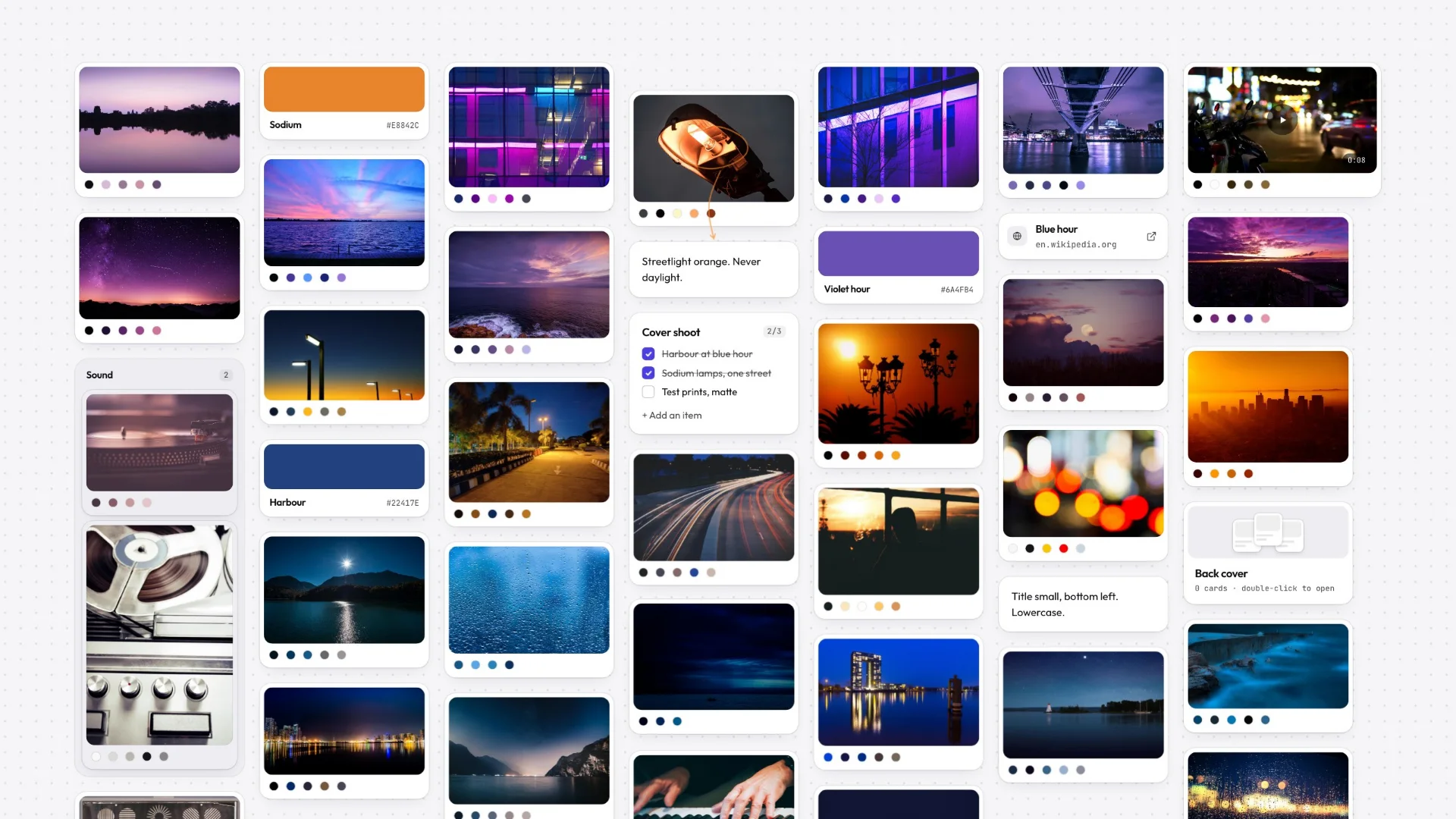
Milanote is a polished cloud moodboard tool. Gladeboard starts from a different premise: your work belongs to you, exportable as a file you keep, not locked in someone else’s server behind a monthly bill and a cap on how much you can put on a board.
Both give you a visual canvas for moodboards, campaigns, and reference. The difference is what happens when you go offline, and what happens if you stop paying: Milanote meters cards, so a single busy board can end your free plan. Gladeboard meters boards: three of them, free, with as much on each as you like, and boards you already made stay editable and keep syncing whatever plan you’re on.
- 3
- $8
- 1
Pick Glade if…
- You want the files, not an account
- You search references by colour
- You work on trains and planes
- You would rather meter boards than cards
Pick Milanote if…
- You need real-time co-editing today
- Your team is ten-plus and non-technical
- You want templates out of the box
- You collect references on your phone
The free plans meter different things
This is the whole practical difference, and it decides which tool suits you before any feature does. Milanote’s free plan gives you unlimited boards and counts what you put on them — notes, images and links in total, across everything you have ever made. One properly researched moodboard can spend most of that in an afternoon, and once it is gone it is gone until you upgrade.
Gladeboard counts boards instead: three of them, free, with nothing at all counting against you inside one. Fill a board with four hundred references if the project needs four hundred references. The trade is real and it is worth stating plainly — if what you want is fifty small boards, Milanote’s free plan fits you better than ours does. If what you want is a few deep ones, the cap you will hit first is theirs.
What happens when the connection goes
Milanote is a cloud product: your boards live on their servers and the app fetches them. That is a perfectly reasonable design, and it means the same thing every cloud product means — when the network is down, or the service is, your work is somewhere you can’t reach.
Gladeboard is local-first, which is a specific claim rather than a marketing one. The board is on your device and the app reads it from there, so creating, editing, dragging, and searching all work with the connection off entirely. Sync, when you are signed in, pushes changes up afterwards. The internet is how your boards reach your other devices, not how they reach you.
Getting your work back out
Both tools export. The difference is what an export is: with Milanote it is a copy you generate from the boards they hold, and with Gladeboard it is the whole thing. Your entire workspace saves out as one file — every board, with the images — that you can back up, drop in a project folder, or hand to someone else, and importing it rebuilds all of it. Individual boards also come out as a poster or as Markdown. Nothing about any of that depends on us still being here.
It matters most at the moment you stop paying. On the free plan every board you already made stays readable, editable and syncing — you simply cannot add a fourth until you are back under three. Nothing is deleted, locked, or held hostage to a card you added last year.
Where Milanote is still the better tool
Milanote has been shipping for years and it shows. It has iOS and Android apps, a deep template library that gets you from empty board to structured brief in a click, and mature real-time sharing for handing a board to a client. If you work from your phone, or your workflow starts from a template, it is the more finished product today and pretending otherwise would waste your time.
Gladeboard runs in any modern desktop browser right now; native Mac and Windows apps are in private testing, and there is no phone app. What it has instead is a canvas that opens instantly, keeps working with no connection, finds any image by its colour, and leaves your work in a file you own. Those are different priorities, not a longer feature list.
Moving a board across today
There is no one-click Milanote importer, and this page is not going to imply otherwise.
What works now is that the canvas reads whatever you throw at it: paste a URL and it becomes a link card with a preview, drag in images and they arrive as image cards with their palettes already read, paste text and it becomes a note. Rebuilding a board by hand is mostly dragging a folder onto the canvas and arranging what lands. Before you commit either way, the demo board opens with no account and no install.
Great tools. Different priorities.
Milanote and Miro are mature cloud products. Gladeboard starts somewhere else: your work belongs on your machine.
Described either of them unfairly? Tell us and we will fix it.
- Keeps working offline, boards held on your device
- Find a reference by its color
- Your whole workspace as one file you keep
- Try the real canvas without an account
- Free plan
Coming from Milanote?
Export
Take a board out of Milanote as Markdown and images.
Drop
Drag the whole folder onto a blank Glade canvas at once.
Index
Every image has its palette read on the way in. Nothing to tag.
Frequently asked
Can I import my Milanote boards into Gladeboard?
Not automatically: there is no Milanote importer. Anything you paste or drag onto a Gladeboard canvas becomes the right kind of card, so rebuilding a board by hand is faster than it sounds.
Does Gladeboard work offline like Milanote does not?
Fully. Gladeboard is local-first, so creating, editing, and searching all work with zero connection. Milanote is cloud-only, so if the service or your network is down, your boards are unreachable.
Is Gladeboard cheaper than Milanote?
Gladeboard’s free plan is three boards with no card cap, synced across your devices. Milanote’s free plan counts the cards on all your boards together. Cloud lifts the board limit at $8/month.
Who owns my boards?
You do. The working copy of every board lives on your own device, sync only carries changes between your devices, and your whole workspace exports as a single file, every board with its images, that you can keep and import again. If you stop paying, nothing is deleted and every board stays editable.
Does Gladeboard have a mobile app like Milanote?
Not today. Gladeboard runs in any modern desktop browser, and native Mac and Windows apps are in private testing. If you collect references on your phone, Milanote is the better fit right now and we would rather say so.
Can I try Gladeboard without signing up?
Yes. The demo opens the real canvas with no account and nothing to install — the same board, the same cards, the same colour search. Sign up later and what you made comes with you.
What can I put on a Gladeboard board?
Notes, to-dos, images, video, links, colour swatches, headings, columns, and nested boards. Paste a YouTube, Vimeo or Loom URL and it plays in place; paste a CodePen or a gist and it renders with syntax highlighting.