A mood board app that keeps your references
Drag in a folder and find any image by its colour. Three boards free with no card cap, keeps working offline, and your whole workspace exports as a file you keep.
The best mood board app for keeping references is Gladeboard: drag in a folder and find any image by its colour, three boards free with no card limit, and it works offline. Pinterest is for discovering ideas, Milanote for templated planning, Freeform for Apple-only boards, PureRef for painting reference.
| Tool | Best for | Works offline | Free plan | Runs on |
|---|---|---|---|---|
| Gladeboard | Moodboards you build up and search by colour | Yes: create, edit and search | Three boards, no card limit | Any modern browser |
| Milanote | Visual planning with templates and sharing | No, cloud-first | Counts notes, images and links in total | Web, desktop and mobile apps |
| Discovering and saving ideas | No | Free, with ads | Web and mobile apps | |
| Apple Freeform | Anyone entirely on Apple devices | Yes | Free, built in | Mac, iPhone, iPad |
| PureRef | Reference images while you paint or model | Yes, desktop app | Free to download | Windows, Mac, Linux |
A mood board app is easy to like for a week and hard to keep for a year. The first board is fun anywhere. The problem arrives at board forty, when you know you saved something rust coloured and you cannot remember one word that would find it.
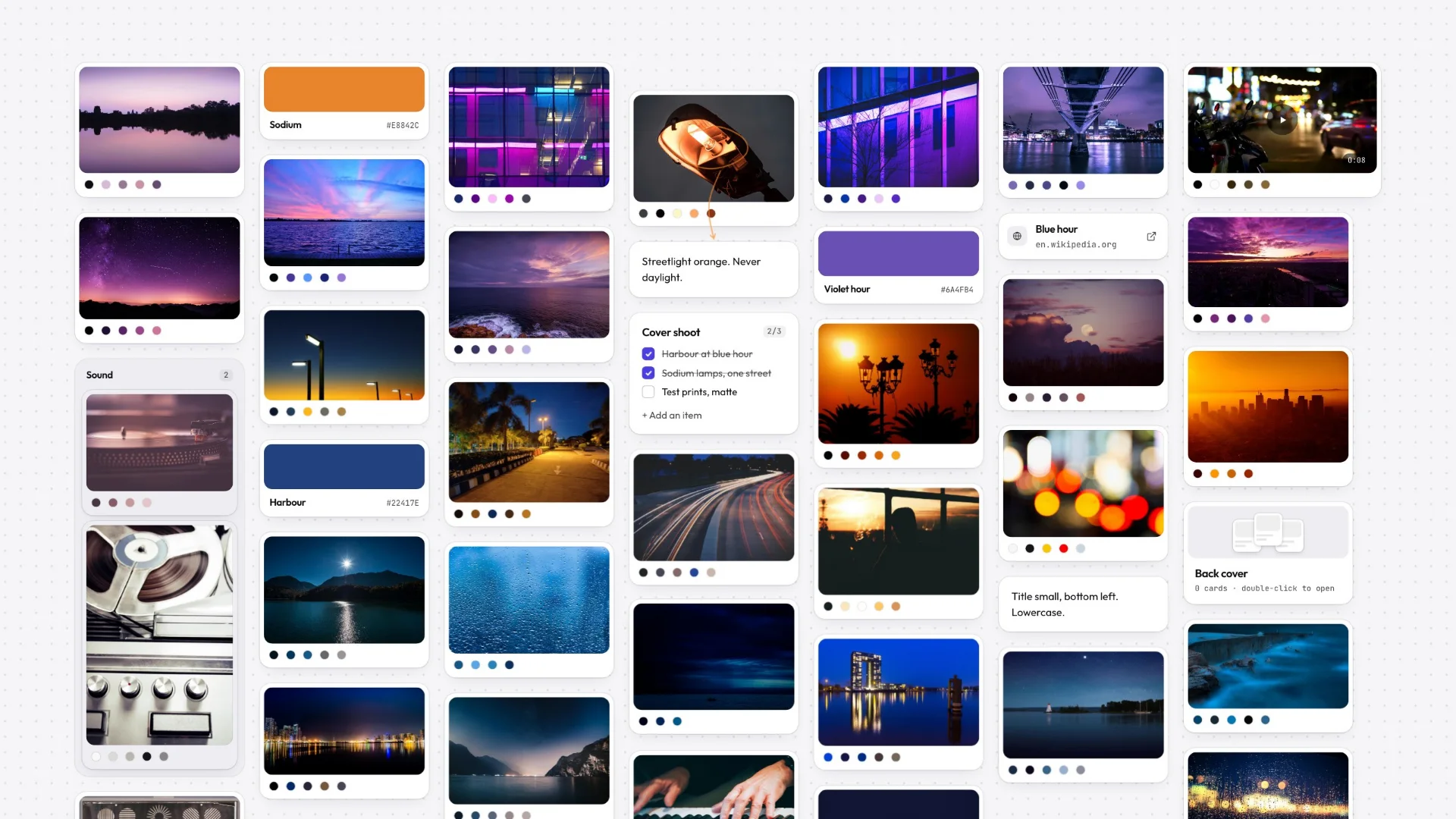
Gladeboard is built for that second year. Drag in a folder and every image lands as a card with its palette already read, so colour is something you can search. It is local-first, so the canvas opens instantly and keeps working with no connection. Three boards are free, with no card cap, and the whole workspace exports as a file you keep.
- 3
- $8
- 1
What a mood board app has to get right
Most tools that call themselves mood board apps are general canvases with images allowed on them. The difference shows up about three weeks in, once you have collected enough that the board stops being something you look at and starts being something you search.
Four things decide whether a tool survives that. Getting images in has to be one gesture — drag a folder, paste a URL, done. Arranging has to be direct, so dragging and resizing feel like moving paper rather than editing a document. Finding has to work on how you actually remember an image, which is almost never its filename. And the board has to still be there in two years, in a form you can open, whatever happened to the company that made the app.
Finding the reference you can picture but can’t name
This is the one nearly everything gets wrong. You remember that an image was warm, dusty, rust-coloured. You do not remember its name, which folder it went in, or what you typed next to it — and keyword search needs one of those.
Gladeboard reads the palette of every image the moment it lands on the canvas, so colour is a thing you can search for. Ask for everything teal and you get it. It runs entirely on your device: nothing is uploaded, nothing is sent to a model, and it works with the connection off like the rest of the app.
What goes on a board
A mood board is rarely only images. Gladeboard’s canvas takes notes, to-dos, images, video, links, colour swatches, headings, columns and nested boards — a board can hold another board, which is how one campaign stays one thing instead of six.
Links are not dead rectangles. Paste a YouTube, Vimeo or Loom URL and it plays in place; paste a CodePen or a GitHub gist and it renders with syntax highlighting. Swatches let a palette sit on the board as a first-class object rather than as a screenshot of a palette.
Free, and what that word is hiding
Every free mood board app has a meter somewhere. Some count cards across everything you have ever made, so one thorough board spends the lot. Some count boards. Some are free until you want to export, which is the one that stings, because it charges you at the exact moment you need the work out.
Gladeboard’s meter is boards: three of them, free forever, with no limit on what goes on each, no watermark and no trial clock. Sync across your devices is included on the free plan rather than sold back to you. Export is never gated. Cloud lifts the board limit at $8 a month and is the only paid plan you can buy today — and if you stop paying, nothing is deleted: you drop back to free, every board stays readable, editable and syncing.
Boards that outlive the app
A mood board is a slow accumulation. The value is not in any one image, it is in three years of them — which makes “where does this actually live” a more serious question for this kind of tool than for almost any other.
Gladeboard is local-first: the real copy of the board is on your device, and the network’s job is carrying changes to your other devices, not delivering the board to you. Your whole workspace exports as one plain file — every board, with the images — that you can back up, drop in a project folder, or hand to a client. If we vanished tomorrow, you would still have your boards. That is a lower bar than most software clears and it should not be.
Try it on a real folder of images
The demo opens the real canvas with no account and nothing to install. Drag in an actual folder of references — the test worth running is not whether the app looks nice but whether forty images at once still feel good to move around, and whether colour search finds the one you were thinking of.
It runs in any modern desktop browser today. Native Mac and Windows apps are in private testing, and because the whole workspace exports as a file, your work carries over the moment one lands.
Great tools. Different priorities.
Milanote and Miro are mature cloud products. Gladeboard starts somewhere else: your work belongs on your machine.
Described either of them unfairly? Tell us and we will fix it.
- Keeps working offline, boards held on your device
- Find a reference by its color
- Your whole workspace as one file you keep
- Try the real canvas without an account
- Free plan
Frequently asked
What is the best free mood board app?
Gladeboard is free for three boards with no limit on what goes on them, no watermark and no export paywall, and it works offline. On Apple devices Freeform is another genuinely free option, though it has no reference search.
Can I make a mood board without signing up?
Yes. The demo opens the real canvas with no account and nothing to install. If you make something you want to keep, signing up afterwards brings it with you.
Does it work offline?
Fully. Creating, editing, arranging and searching all work with zero connection, because the real copy of the board is on your device. The internet is optional, not a dependency.
How do I find an image again once the board is big?
By its colour. Gladeboard reads the palette of every image as it lands, so you can ask for everything teal and get it — which is usually how you remember a reference, rather than by its filename.
Can I export my mood board?
Always, on every plan. Any board exports as a poster or as Markdown, and your whole workspace exports as one plain file you can back up, keep in a project folder, or hand to a client. Export is never behind the paywall.
What can I put on a mood board here?
Images, video, notes, to-dos, links with live previews, colour swatches, headings, columns, and other boards nested inside. Pasted YouTube, Vimeo and Loom links play in place.