
The best Miro alternative for creative work
A local-first canvas that opens instantly, works offline, finds references by colour, and costs $8 a month with no per-seat pricing.
The best Miro alternative for creative work you do on your own is Gladeboard: it works offline, finds references by their colour, and is three boards free or $8 a month with no per-seat pricing. On Apple devices only, Freeform is free. For live team workshops, FigJam is Miro’s closest match.
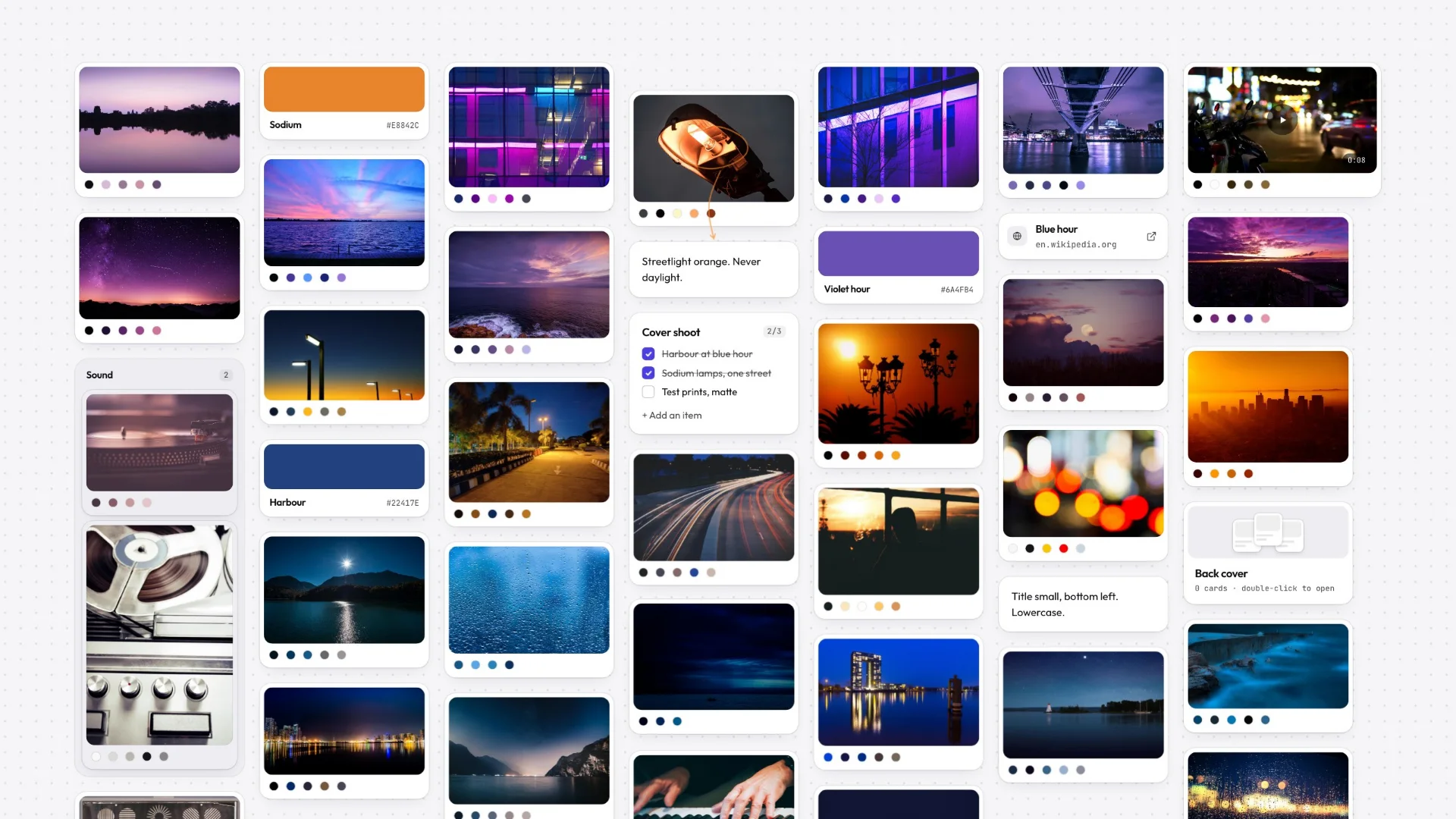
| Tool | Best for | Works offline | Free plan | Runs on |
|---|---|---|---|---|
| Gladeboard | Moodboards, reference and campaigns, on your own | Yes: create, edit and search | Three boards, no card limit | Any modern browser |
| Miro | Live workshops with a team | No, cloud-first | Limited free plan | Web, desktop and mobile apps |
| FigJam | Teams already working in Figma | No, cloud-first | Limited free plan | Web and desktop apps |
| Apple Freeform | Anyone entirely on Apple devices | Yes | Free, built in | Mac, iPhone, iPad |
| Milanote | Visual planning with templates and sharing | No, cloud-first | Counts notes, images and links in total | Web, desktop and mobile apps |
Miro is built for the workshop: a dozen people, live cursors, a timer running. If that is not what your boards are — if they are moodboards, reference libraries and half-formed direction that only you ever open — you are paying a per-seat collaboration bill for a room you sit in alone.
This page is an honest survey of where to go instead, including the cases where the answer is not us. Gladeboard is the option for people whose canvas is a thinking surface: local-first, so it opens instantly and keeps working with no connection, searchable by colour, and the whole workspace exports as a file you keep.
- 3
- $8
- 1
Why people leave Miro
Miro is very good at the thing it is for, so the people looking for an alternative usually are not complaining about quality. They are complaining about fit.
The most common version is weight: a tool built for a dozen people in a workshop is a lot of product to open when you wanted somewhere to put twenty screenshots. Then there is price, which is per seat, and gets uncomfortable for a freelancer or a pair. Then boards that feel slow to open when they are heavy with imagery, because every pan is asking a server. And underneath all of it, the ownership question — years of boards living somewhere you rent.
Pick by what the board is actually for
Still doing live workshops, just cheaper? FigJam is the closest like-for-like. It is Figma’s whiteboard, so it is cloud-based and your boards live in a Figma file, but if your team already has Figma it is the shortest move.
Diagrams and flowcharts rather than moodboards? That is a different category — a diagramming tool will serve you better than any whiteboard, Gladeboard included.
On Apple devices and want free? Freeform is already on your Mac and iPad, works offline and syncs through iCloud. It has no reference library features to speak of, but it costs nothing and it is right there.
Collecting references and building direction? That is what Gladeboard is for: a local-first visual canvas where boards open instantly, keep working with no connection, find any image by its colour, and export as a file you keep. Three boards free with no card cap; $8 a month lifts the limit, with no per-seat maths because there are no seats.
The trade you are making, stated plainly
Leaving Miro for Gladeboard costs you real things. There is no real-time multiplayer, no cursors, no voting or timers, no facilitation templates, no Jira or Slack integrations, no mobile app, and no enterprise administration. If your board is a meeting, none of the rest of this page matters — stay where you are.
What you get back is a canvas with no meeting attached. It opens from a copy already on your device, so panning does not wait on a network. It reads the palette of every image you add, so “everything rust-coloured” is a search rather than a scroll. And the whole workspace saves out as one plain file, which means the work outlives whatever happens to any company involved, ours included.
A per-seat bill for a canvas nobody else opens
Per-seat pricing is the right shape for a collaboration tool and the wrong shape for a moodboard. If the board is yours and the only person who ever opens it is you, you are paying the collaboration premium for a room you sit in alone.
Gladeboard has one paid plan, $8 a month, and it buys unlimited boards rather than a licence to have colleagues. The free plan below it is three boards with sync included and no card limit — sync is not the upsell here, board count is.
Moving across
There is no Miro importer, and this page will not imply otherwise.
What works today is bulk drag-and-drop. Export the images off a Miro board, drag the folder onto the canvas, and each one lands as a card with its palette already read. Paste links and they arrive with previews; paste a YouTube, Vimeo or Loom URL and it plays in place. The demo board opens with no account, so you can try that with a real folder before deciding anything.
Great tools. Different priorities.
Milanote and Miro are mature cloud products. Gladeboard starts somewhere else: your work belongs on your machine.
Described either of them unfairly? Tell us and we will fix it.
- Keeps working offline, boards held on your device
- Find a reference by its color
- Your whole workspace as one file you keep
- Try the real canvas without an account
- Free plan
Frequently asked
What is the best Miro alternative for freelancers?
If the boards are yours and nobody else opens them, a per-seat collaboration tool is the wrong shape. Gladeboard is three boards free with no card cap and $8 a month for unlimited — no seats, and it works offline.
Is there a free Miro alternative that works offline?
Gladeboard is local-first, so creating, editing and searching all work with no connection, and the free plan is three boards with sync included. On Apple devices, Freeform is another genuinely free offline option.
Does Gladeboard replace Miro for team workshops?
No. There is no real-time multiplayer, no cursors, no voting and no facilitation templates. If your board is a live session with a room full of people, Miro is the right tool and we would rather say so.
Can I import my Miro boards?
Not automatically: there is no importer. Exporting the images and dragging the folder onto the canvas works now, and every image arrives as a card with its colours already read.
How much does Gladeboard cost compared to Miro?
Free for three boards, synced, with no limit on what goes on them. Cloud is $8 a month for unlimited boards and is the only paid plan you can buy today. There is no per-seat pricing.